


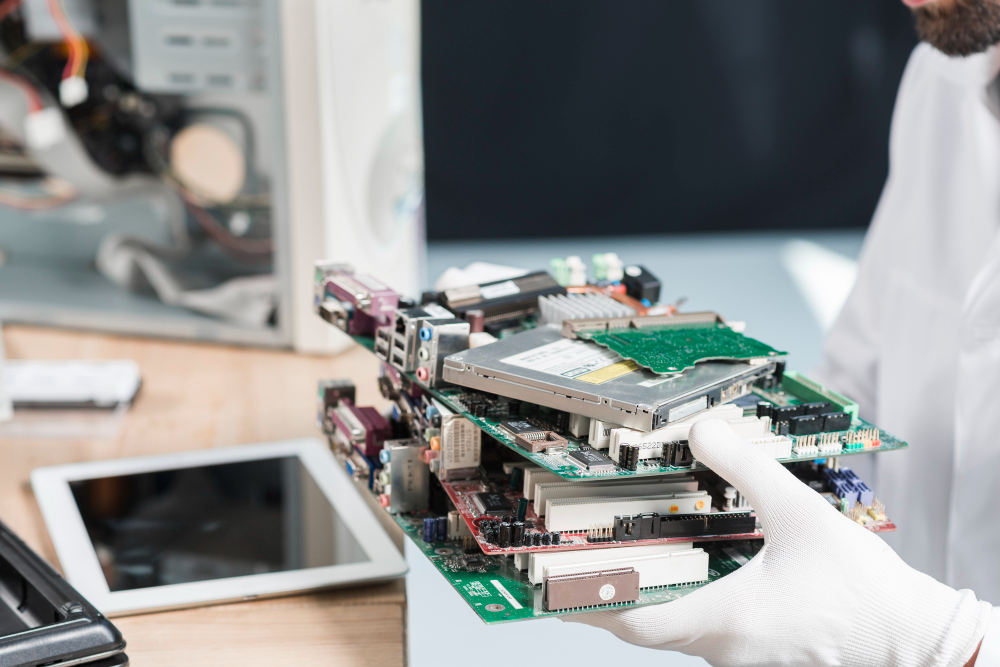
Let’s face it, most businesses don’t give their IT systems a second thought until something breaks down. Maybe a laptop starts crawling, the system crashes right in the middle of something important, or software just refuses to cooperate. Sound familiar?
The thing is, clinging onto old devices longer than you should can silently chip away at your business. It drains productivity, opens up security gaps, and sneaks in costs you weren’t expecting. That’s why staying on top of your IT equipment lifecycle isn’t just something for the IT team to worry about, but it’s a genuinely smart business move.
Understanding exactly when to replace IT equipment can keep your business running efficiently, securely, and ready for whatever comes next, without all the unnecessary stress.
What Is the Ideal IT Equipment Lifecycle for Businesses?
Every device in your office goes through a journey, from the day it’s purchased to the day it’s retired. That journey is what we call the IT equipment lifecycle. It usually looks something like this:
- Procurement
- Day-to-day usage
- Maintenance and upgrades
- Performance decline
- Final replacement and disposal
Businesses end up dealing with surprise breakdowns and ballooning costs when they ignore this cycle. But when they commit to proper hardware lifecycle management, they can plan ahead, dodge costly downtime, and squeeze the most value out of every device they invest in.
How Do You Know It’s Time to Upgrade Office IT Equipment?
Growth is a wonderful thing, but it puts real pressure on your existing tech. If your team is growing, working remotely, or leaning on more advanced tools than before, your older devices are probably struggling to keep pace. This is exactly when businesses need to upgrade office IT equipment to keep things running smoothly.
Here are some situations where upgrading just makes sense:
- Bringing on new employees
- Moving to cloud-based systems
- Taking on bigger, more complex workloads
- Improving how your team collaborates
Modern IT isn’t just about speed. It’s about giving your people the right tools to actually do their best work.
Why Do Businesses Need a Proper IT Asset Replacement Strategy?
Replacing equipment on a whim, or only when something breaks, is never a great idea. It leads to overspending, poor timing, and sometimes a total disaster when a critical device fails at the worst possible moment. A well-thought-out IT asset replacement strategy keeps you one step ahead. Instead of scrambling to react, you’re prepared.
With the right strategy in place, you can:
- Plan your budgets well in advance.
- Keep track of how your assets are performing.
- Replace devices at the right time, not too early, not too late.
- Avoid the disruptions that catch businesses off guard.
Pair this with solid hardware lifecycle management, and you have a setup that keeps your business humming without unnecessary risks or nasty surprises.
Key Signs It’s Time to Replace IT Equipment
Still on the fence? Here are some telling signs that it might be time to make a move:
1. Declining Performance & Productivity
If systems are freezing, lagging, or just dragging their feet on everyday tasks, your team is paying the price, in time and frustration.
2. Rising Maintenance and Repair Costs
Constant fixes add up faster than you would think. At some point, replacing a device is simply cheaper than keeping patching it together.
3. Increased Security Risks
Older systems often fall behind on updates, making them an easy target for cyber threats and potential data breaches.
4. End of Manufacturer Support
Once a manufacturer stops supporting a product, security patches stop too, and that’s a serious risk you don’t want to carry.
5. Compatibility Issues with New Software
If your hardware can’t run the tools your business needs today, it’s already holding you back.
All of these are strong signals of when to replace IT equipment, before the problems start dragging your business down.
What Should You Do After Retiring IT Equipment?
Deciding to retire your old gear is just the first step. What you do next matters just as much. Too many businesses skip this part or handle it carelessly, and that can lead to serious consequences, from data breaches to environmental damage. Simply tossing old devices in the bin just isn’t good enough anymore.
This is where professional IT Asset Disposal (ITAD) services really earn their keep. Companies like Planet Green Recycling make sure your retired devices are handled the right way, securely and sustainably. From safe collection to certified data destruction, every step is built around protecting your business.
They also prioritize eco-friendly recycling, recovering valuable materials instead of letting them pile up in landfills. That’s good for the planet, and it helps your business meet its sustainability commitments too.
Ready to Upgrade and Dispose Responsibly?
If your business is planning to upgrade office IT equipment or phase out outdated systems, finding the right disposal partner is just as important as choosing your new hardware.
Planet Green Recycling offers end-to-end IT asset disposal built for modern businesses. Whether you need secure data destruction, responsible recycling, or help managing large volumes of retiring assets, their team handles it all with care, compliance, and full transparency.
What makes them stand out is their genuine commitment to both security and sustainability. They follow strict industry standards, back everything up with certifications, and help businesses stay aligned with their environmental goals.
Partnering with a trusted provider like Planet Green Recycling means your sensitive data stays protected, your old equipment gets handled responsibly, and your business supports a smarter IT asset replacement strategy, all while doing something good for the planet.
FAQs
1. How often should businesses review their IT equipment lifecycle?
Businesses should revisit their IT equipment lifecycle every 3–5 years to make sure their systems are still efficient, secure, and capable of keeping up with current and future business needs.
2. What are the biggest risks of using outdated IT equipment?
Outdated devices can leave your business exposed to security vulnerabilities, reduced productivity, climbing maintenance costs, and compatibility headaches with modern software.
3. When is the right time to replace IT equipment?
When systems start slowing down, repair bills start stacking up, or security risks begin to grow, those are clear signs of when to replace IT equipment and make the move.
4. Why is an IT asset replacement strategy important?
A solid IT asset replacement strategy helps businesses plan upgrades proactively, keep costs under control, and avoid the sudden failures that can throw operations into chaos.
5. What should companies do with old IT equipment after replacement?
Old devices should be disposed of through certified recycling services that prioritize data protection, regulatory compliance, and environmentally responsible handling.